Family quests, rewards your way
Quest Board
Choose rewards that mean something at home. Set a family quest, or let your child spend Light Quest points on a reward you have agreed together.
Use your existing That Science Thingy account. One parent dashboard brings together Light Quest’s learning reports, family quests and rewards.
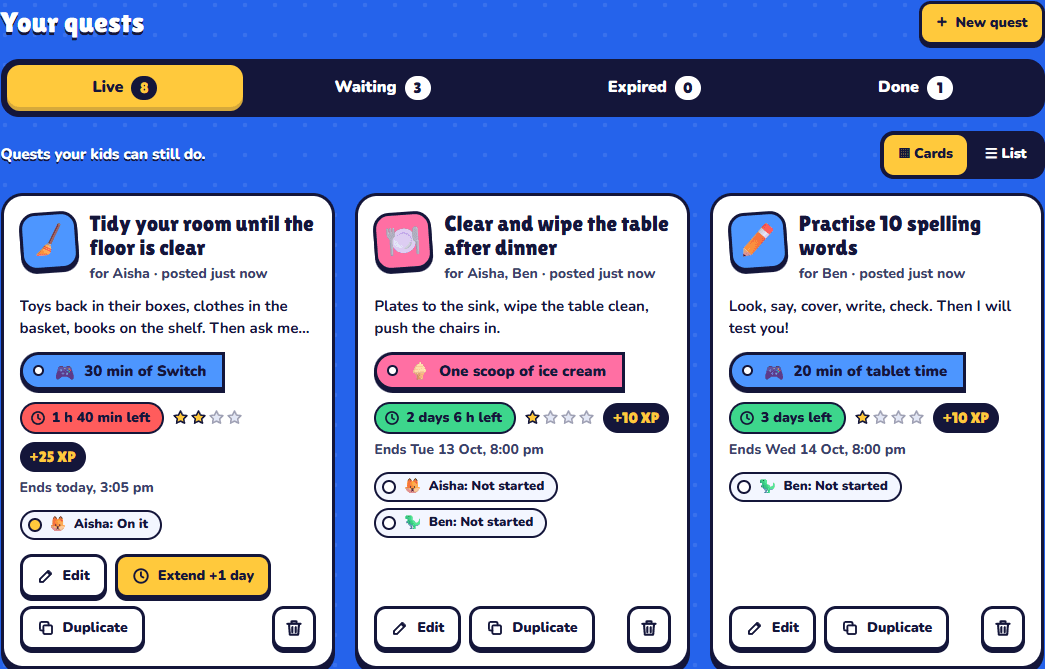
One parent dashboard.
Learning and rewards.
- Learning reports in the same parent dashboard
- Open Light Quest’s existing Parent view for a scientist card to review chapter progress and answer-writing practice.
- Family quests
- Set a task and its reward. Your child accepts it, hands it in, and you check the work before giving the reward.
- An optional points shop
- Enable it when you are ready. Link your child to their Light Quest profile, set point prices, and let them redeem available points.
- Choose where each reward belongs
- Offer it for quests, in the shop, or both. Mark redeemed rewards as given, or cancel a pending redemption to refund its points.
Start with one small reward.
Sign in as a parent
Use your existing account, or create one. Your parent dashboard opens after sign-in, with learning reports and rewards together.
Invite your child
Make a family code in the dashboard. Your child opens My Questboard in Light Quest and enters your family code. Their selected scientist card signs them in automatically. Children can also use a separate quest login.
Set your rewards
Add them to “My rewards”. For the points shop, link the child’s Light Quest profile, choose prices and enable point rewards for your family.